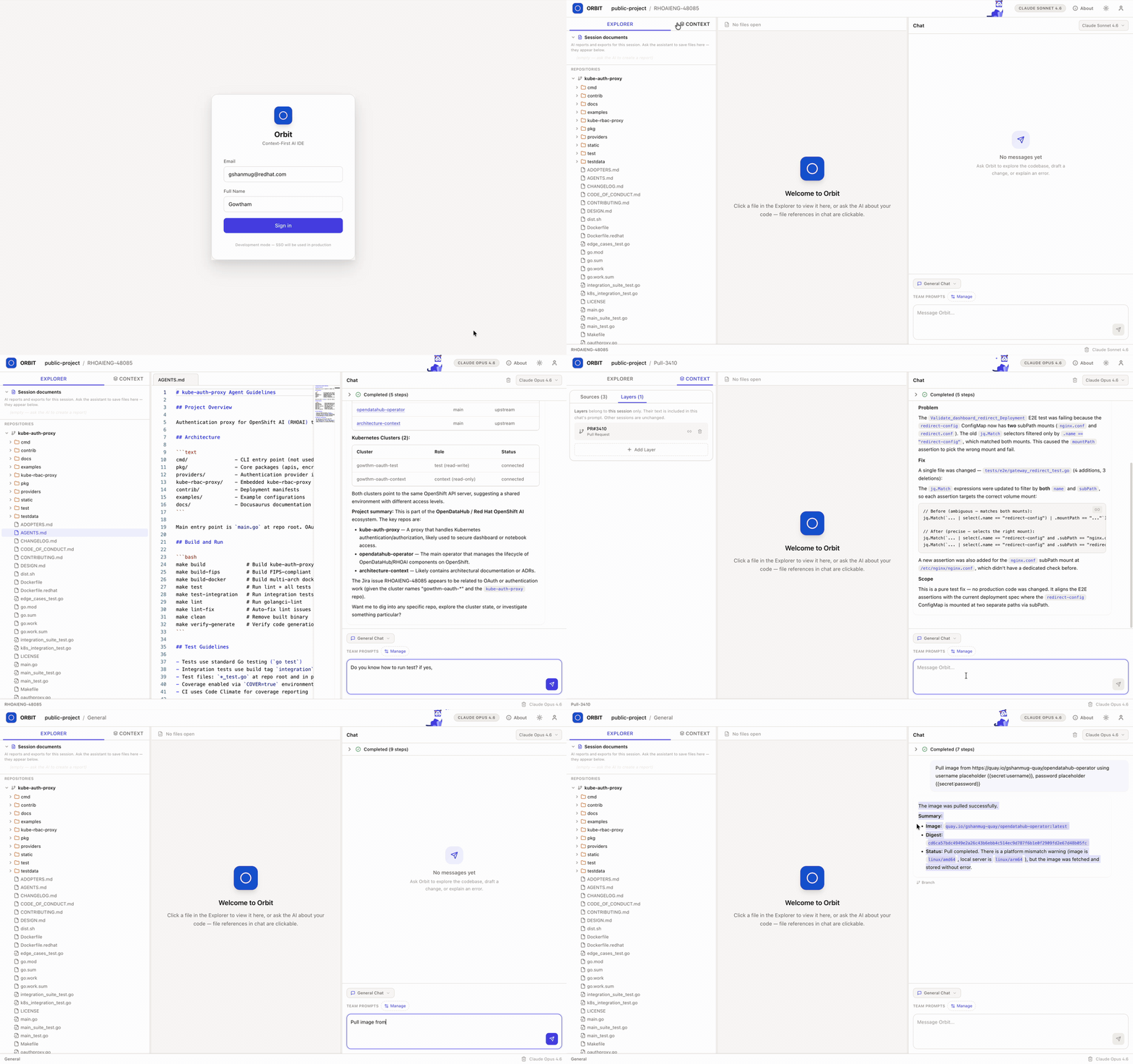
Projects, sessions, context packs, secrets, clusters, and streaming AI chat — all in one place.
Features
Orbit brings AI, context, and infrastructure together so you can focus on building.
Real-time streaming responses powered by Claude via Vertex AI or Anthropic API. Context-aware conversations that understand your project.
Bundle related context together and pin it to sessions. The AI receives structured context on every message for accurate assistance.
Organize work into projects and sessions. Each session maintains its own context layers, making it easy to switch between tasks.
Store and manage API keys, credentials, and sensitive configuration securely. Access them across sessions without exposure.
Connect external tools via the Model Context Protocol. Bring in data from Jira, GitHub, and more directly into your AI conversations.
Manage OpenShift clusters from your workspace. Deploy, monitor, and scale your applications with the orbit-operator.
Meet Orbi
Orbi reacts to what you're doing — thinking when the AI streams, happy when it finishes, and even sleeps when you step away.
Orbi dog visual based on CSS Husky by Harshal Parmar
Tech Stack
A modern stack designed for performance, scalability, and developer experience.
Get Started
Clone the repo and start building with AI.
Grab the source code and enter the directory.
git clone https://github.com/GowthamShanmugam/orbit.git && cd orbit
Spin up Postgres and Redis with one command.
podman compose up -d postgres redis
Copy the example env and set your AI provider key.
cp .env.example .env
Start the backend and frontend, then open the app.
http://localhost:5173